Simple Cluster Services (Enable / Disable)
Some cluster services have no configuration options — they are simply switched on or off for a Shoot cluster. For these services the configuration dialog offers only the Enabled/Disabled switch and shows "This extension has no configuration options."
See Managing Cluster Services for a general description of the Cluster Services section and the configuration dialog.
Enabling or Disabling a Service
The steps are the same for every simple service. The example below uses S3 Bucket Storage.
- Open the Shoot detail page and scroll to the Cluster Services section.
- Click the cog button next to S3 Bucket Storage.
- The dialog opens showing "This extension has no configuration options."
- Use the Enabled/Disabled switch to change the state. A warning is shown when disabling a service has side effects — review it before continuing.
- Type the Shoot name into the confirmation field.
- Click Save.
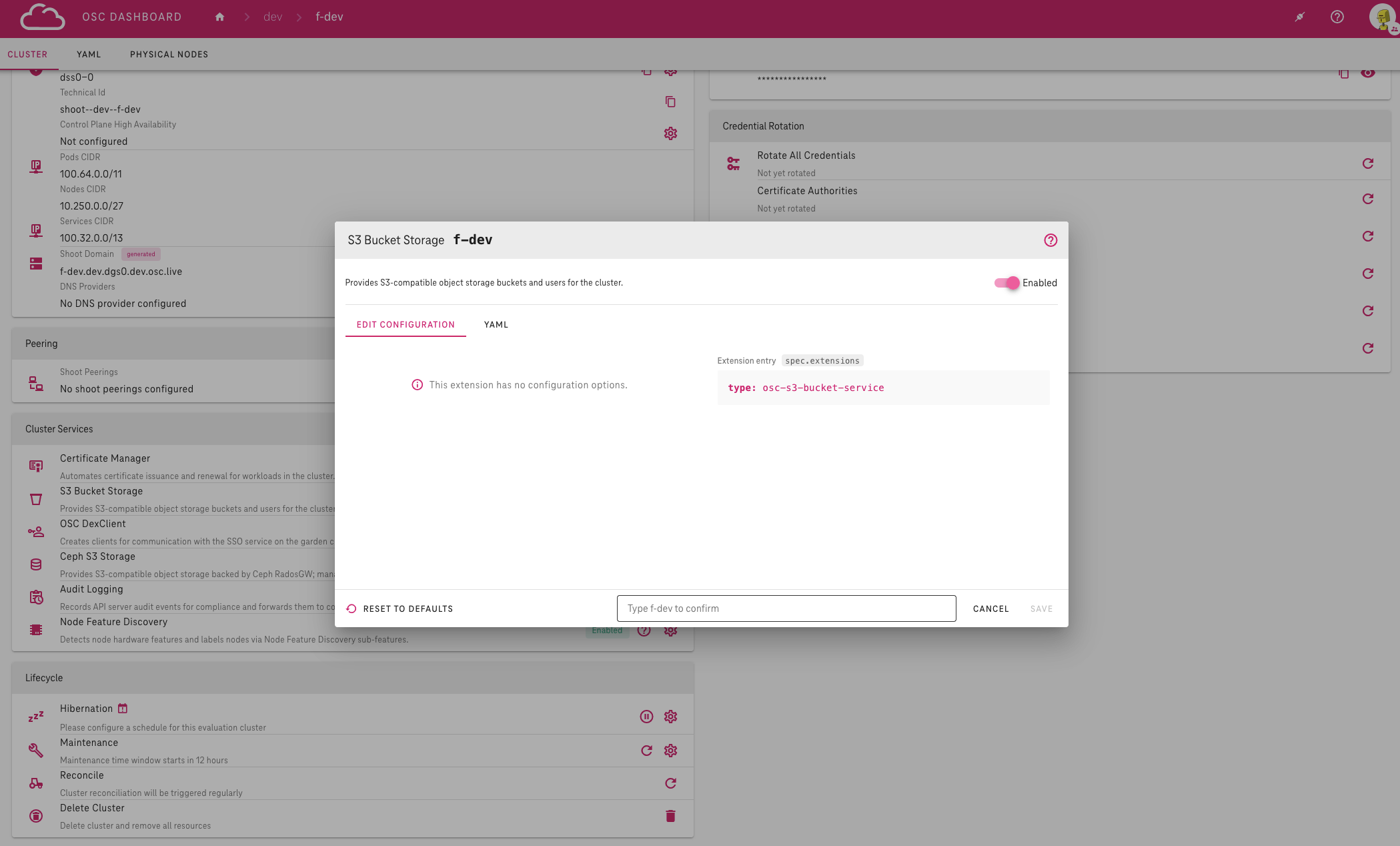
During Shoot creation the same dialog is available in the Cluster Services section of the new Shoot form; no Shoot name confirmation is required there.
The Extension entry preview on the right side of the dialog shows the manifest entry that will be written to the Shoot. Use the help button (Open documentation) to open the extension's documentation page for more details.
Services on This Page
All three services are enabled by default — a Shoot without an explicit extension entry has them active. For what each extension does, its manifest examples and further details, follow the links below.
| Service | Default | More details |
|---|---|---|
| S3 Bucket Storage | Enabled | OSC S3 Bucket Extension |
| OSC DexClient | Enabled | OSC DexClient Extension |
| Ceph S3 Storage | Enabled | Ceph S3 Storage Extension |
Warning
Disabling a service can affect running workloads — for example S3 buckets, SSO logins or existing storage resources. The dialog shows the specific impact as a warning before you save; review it carefully.