Node Feature Discovery Configuration
The Node Feature Discovery (NFD) service detects hardware features of the worker nodes and manages node labels and extended resources, enabling workloads such as GPU or SGX applications to be scheduled onto suitable nodes.
This page describes how to configure the service in the OSC Dashboard. For details about the extension's functionality and for example manifests, see the OSC Node Feature Discovery Extension reference.
Info
The service is enabled by default with all components active and runs on every worker node of the Shoot cluster.
Configuring Node Feature Discovery in the OSC Dashboard
On an existing Shoot
- Open the Shoot detail page.
- Scroll to the Cluster Services section.
- Click the cog button next to Node Feature Discovery.
-
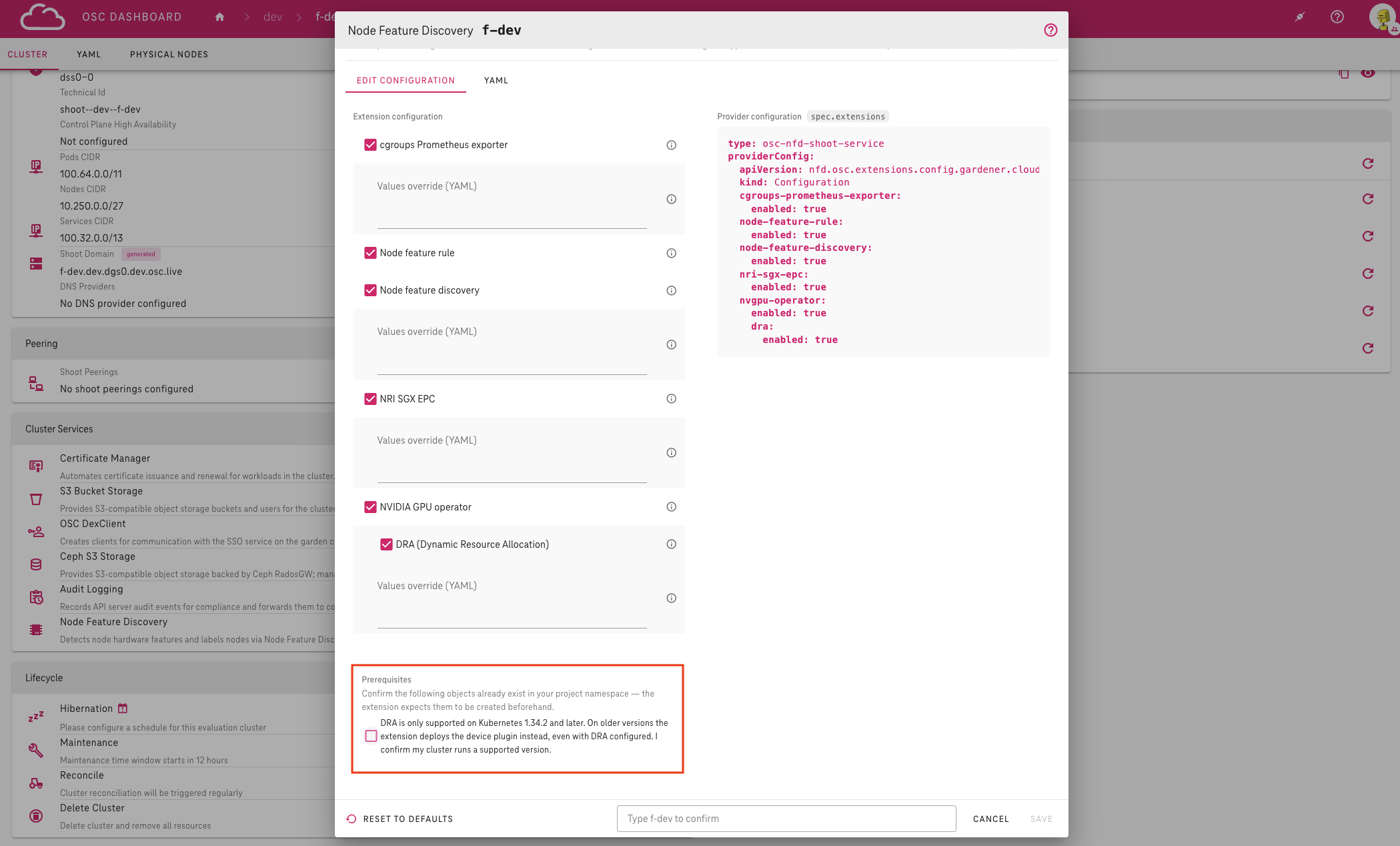
Switch the individual components on or off in the Edit configuration tab.
The Provider configuration panel on the right previews the resulting manifest entry.
-
Type the Shoot name into the confirmation field.
- Click Save.
During Shoot creation
- In your project, click Create Cluster to open the new Shoot form.
- Scroll to the Cluster Services section.
- Click the cog button next to Node Feature Discovery.
- Configure the components.
- Click Save to close the dialog.
- Fill in the remaining fields.
- Click Create.
Configuration options
The dialog offers a toggle per component:
- cgroups Prometheus exporter
- node feature rule
- node feature discovery
- NRI SGX EPC
- NVIDIA GPU operator and its DRA sub-option
While a component is enabled, an optional Values override (YAML) field allows Helm-style value overrides if supported. NVIDIA GPU operator custom overrides are not supported.
-
Hover over the help icon next to each field to see its type, allowed values and a copyable example — this is the quickest way to find out what a component does and how to override its values.
The dialog warns you when a change affects the running cluster, for example when reconfiguring components causes pods to be rescheduled or GPU workloads to pause.
-
Review the warnings before saving.
Confirming prerequisites
While DRA (Dynamic Resource Allocation) is enabled — which it is by default — a Prerequisites section appears below the configuration form:
DRA is only supported on Kubernetes 1.34.2 and later. On older versions the extension deploys the device plugin instead, even with DRA configured. I confirm my cluster runs a supported version.
You must check and agree with this prerequisite before saving — otherwise clicking Save highlights the Prerequisites section instead of applying the changes.
Warning
The OSC Dashboard does not verify the Kubernetes version itself; make sure your Shoot actually runs a supported version.
The checkbox disappears when DRA or the NVIDIA GPU operator is disabled.
For the full extension specification and limitations, see the OSC Node Feature Discovery Extension reference.